
A slider is one of the few things on a website that can either make your homepage or quietly wreck it. Done properly, it lets you show three or four offers in the space of one, which is useful when you’re selling multiple services and the client wants everything “above the fold”. Done badly, it’s a 4MB carousel that nobody scrolls past and that burns through a visitor’s data before your phone number even loads.
That second scenario matters more in Nigeria than most places. StatCounter put Nigeria’s mobile share of web traffic at about 86% in 2026, the highest in the world, and most of that traffic is running on metered data rather than fixed broadband. A bloated hero slider isn’t just a speed problem here, it’s costing your visitor money. So the plugin you pick genuinely matters.
We build and maintain WordPress sites for Nigerian businesses every week, so this list is based on what actually survives on client sites, not on feature tables.
Should You Use a Slider at All?
Worth asking before you install anything. Sliders make sense when you have several equally important messages and no room to stack them, product ranges, event announcements, portfolio work, property listings. They make less sense when you have one clear offer, because rotating it away every four seconds just makes it harder to read.
The hero image on a page is usually the largest element Google measures for Core Web Vitals, so whatever you put there sets the tone for your page speed score. If you’re going to use a slider, use one, keep it to three or four slides, and compress your images properly. Our guide on saving images in WebP format covers the compression side.
Best WordPress Slider Plugins
All thirteen below are mobile responsive and customisable. They differ mainly in how much they cost, how heavy they are, and how much patience the interface demands.
1. Depicter

Depicter is our default pick for most client projects. It’s freemium, with a genuinely usable free tier, and it has one of the cleanest customisation interfaces of anything on this list.
You get a large library of premade templates spanning most industries, and every part of them can be reworked: swap images from the stock library, change fonts and sizes, adjust colours, rearrange the layout. It also does popups and carousels, so you’re not installing a second plugin later for those.
It sits at over 80,000 active installations on the WordPress repository, which is smaller than the older names here but growing fast. If you want something modern that doesn’t fight you, start here.
2. Slider Revolution

Slider Revolution is still the most capable slider plugin on the market. Version 7 rebuilt the editor and rendering engine from scratch, and it now handles far more than sliders: carousels, hero sections, even full one-page layouts, with 200+ templates and 30+ addons for the heavier animation work.
Two things changed recently that anyone reading an older article needs to know. First, Slider Revolution is no longer sold on CodeCanyon, the developers pulled it and now sell direct. Second, the one-time licence is gone. Pricing is annual: roughly €45/year for one site, €89/year for three, and €209/year for the Scale plan covering up to 250 sites. If you’re an agency launching several sites a year, Scale works out cheaper than the old buy-once model ever did. If you own one website, the yearly fee is harder to justify.
Existing one-time licence holders keep their SR6 keys on sites already activated, but new sites and the SR7 upgrade need a subscription.
It’s powerful, and it’s heavy. Use it where the design justifies it.
3. Master Slider

Master Slider is one of the longest-running and highest-rated sliders available, with around 90 responsive templates in the free version. Rather than building from a blank canvas, you pick a template close to what you want and adjust from there.
It’s built with performance in mind and has a hardware-accelerated transition engine, which shows on touch devices. The free version is complete enough for a small business site, and the pro version adds video slides, extra transitions and more layer control.
4. Smart Slider 3
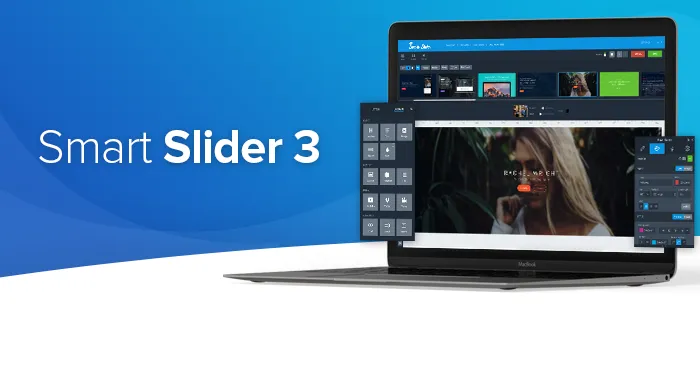
Smart Slider 3 is the best free slider plugin most people haven’t tried. It sits at over 800,000 active installations and the free tier covers two slider types, six layer types and 14 templates, enough for a straightforward homepage.
The drag-and-drop builder is layer-based and behaves like a proper design tool. You can edit per breakpoint, so the mobile version doesn’t have to inherit desktop’s oversized headline.
Pricing is refreshingly old-fashioned: $49 one-time for a single site, $99 for three, five or ten sites, with lifetime updates and support on the activated domains. There’s no subscription. For agencies tired of annual renewals, that alone makes it worth a look.
5. MetaSlider

MetaSlider has been around a long time and it’s the one we reach for when speed is the priority. It’s installed on over 500,000 WordPress sites, it’s lightweight, and the interface is simple enough that a client can update their own slides without ringing you.
It gives you a choice of four slideshow libraries, plus transition effects and themes. It handles hero sliders, carousels and galleries, it’s block editor ready, and it takes HTML, video or images.
Freemium: the free version does captions, SEO fields and shortcode embedding, which covers most small business needs.
6. Soliloquy
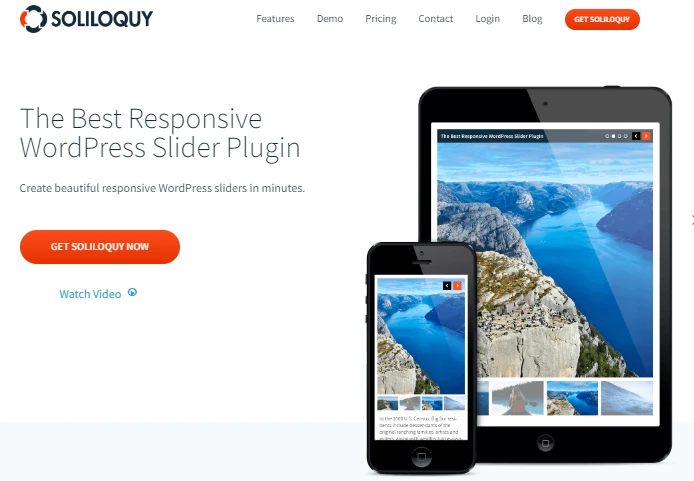
Soliloquy is a premium plugin built specifically around speed. It’s a strong fit for ecommerce product sliders, testimonial rotations, featured content and lightbox galleries.
The drag-and-drop builder is straightforward, and it supports Custom Post Types, so you can generate sliders dynamically from your products or posts instead of rebuilding them by hand every time your catalogue changes. That’s the feature worth paying for if you’re running a store, and it pairs well with a proper WooCommerce setup.
7. Prime Slider
Prime Slider is built for Elementor specifically, so if your site already runs on Elementor this is the path of least resistance. You get slider widgets that live inside the Elementor editor rather than a separate admin screen.
It’s WooCommerce-ready, supports RTL and translation, and lets you add proper headings and links inside slides, which helps a bit with SEO since the text stays crawlable. If you’re not on Elementor, skip it, the dependency isn’t worth it.
8. Slide Anything

Slide Anything does what the name says: it slides anything. Images, video, HTML, shortcodes, whatever you put in the slide editor.
It’s built on the Owl Carousel 2 library, it’s touch-enabled, and you can set a different number of visible slides per breakpoint, useful for logo strips and testimonial rows that should show three across on desktop and one on mobile.
Other features include hover link buttons inside slides, modal popups, thumbnail pagination and slide reordering. It’s free, simple, and a good fit when you need a carousel rather than a full-screen hero.
9. Slider WD

Slider WD (from 10Web) handles hero sliders and content sliders with a large library of transition and layer effects. It supports embedding from Flickr, Instagram, Vimeo and YouTube.
Once your slider is built you embed it with a shortcode, and most WordPress page builders accept shortcodes without complaint. Extra features include image download protection, social buttons, hotspot layers, carousel mode and parallax.
10. Slider Ultimate

Slider Ultimate adds a clean responsive slider to any page, and it’s both shortcode and block editor ready. You can create as many slides as you want, though as always, restraint pays.
The visual editor is drag-and-drop for reordering, autoplay intervals and delays are configurable per slide, and you can drop in custom CSS if the built-in styling doesn’t get you all the way there.
11. Carousel Slider

Carousel Slider is aimed at sliding content types rather than just images. You can carousel WooCommerce products, blog posts, videos and images, which makes it handy for a “featured products” row on a shop homepage.
It’s touch-enabled, built on Owl Carousel 2, and works with the common page builders. Straightforward, free, and does one job well.
12. Ultimate Responsive Image Slider

This one is deliberately simple. It’s an image slider, nothing more, with over 50,000 active installations and bulk image upload so you’re not adding slides one at a time.
There’s no slide limit, and the free version covers what a small business site needs. The pro version adds transition effects, lightbox and layout options. If you’ve looked at the heavier plugins above and thought “I just want a row of pictures”, this is your answer.
13. Nemus Slider
Nemus Slider lets you build slideshows with Instagram and Flickr images, YouTube and Vimeo video, and your own blog posts as slides. You can set custom heights, HTML captions, animation speeds and carousel modes.
One caveat, and it’s the reason it’s last on this list: the plugin has not seen meaningful development in some time and hasn’t been tested against recent WordPress releases. We wouldn’t install it on a new site in 2026. It’s here because it still appears in a lot of older roundups and you should know why to skip it. Use Slide Anything or MetaSlider instead.
How to Keep a Slider From Slowing Your Site
The plugin is only half the story. Most slow sliders are slow because of what’s loaded into them.
- Compress and resize before uploading. A 3000px-wide photograph straight off a camera has no business in a hero slider. Resize to your actual display width and export as WebP.
- Cap it at three or four slides. Very few visitors see slide five. You’re paying the load cost for nothing.
- Don’t lazy-load the first slide. It’s your largest contentful paint element, so it needs to load immediately. Lazy-load the rest.
- Use one slider plugin. Two slider plugins means two sets of scripts on every page.
- Test on 3G. Not on your office fibre. Throttle it in Chrome DevTools and see what your customer actually experiences.
These fit into the broader picture covered in our web design tips for small businesses in Nigeria.
How to Choose the Right One
- Small business site, tight budget: Smart Slider 3 or MetaSlider free version.
- You want it to look designed without hiring a designer: Depicter.
- Agency running many client sites: Slider Revolution Scale, or Smart Slider 3 Premium if you’d rather pay once.
- Already using Elementor: Prime Slider.
- Ecommerce product carousels: Soliloquy or Carousel Slider.
- Speed is the only thing that matters: MetaSlider, three slides, WebP images.
If you’re still deciding what your site should be built on before you get to sliders, our comparison of the best WordPress page builders and our roundup of UI/UX design tools are the sensible next reads.
Frequently Asked Questions
Do sliders hurt SEO?
Not directly. Google doesn’t penalise sliders. What hurts is the side effect: a heavy slider inflates your largest contentful paint, and Core Web Vitals do influence rankings. A well-compressed three-slide hero is fine. A ten-slide autoplaying carousel with uncompressed images is not.
What is the fastest WordPress slider plugin?
MetaSlider and Soliloquy are consistently among the lightest in independent testing, and Smart Slider 3’s free version is close behind. That said, image weight affects your load time far more than the plugin does. A “fast” plugin loaded with 2MB JPEGs will still be slow.
Is there a good free WordPress slider plugin?
Yes, several. Smart Slider 3’s free version is the most capable, with 14 templates and a proper layer editor. MetaSlider free is the lightest. Depicter’s free tier is the best-looking. You do not need to pay for a slider on a typical small business site.
How many slides should I use?
Three or four. Engagement drops sharply after the first slide, and every extra one adds weight. If you have more than four things to say on your homepage, they belong in sections down the page, not stacked into a carousel nobody will sit through.
Need a WordPress site that loads fast on Nigerian mobile data? Email us at info@webdesigns.ng, WhatsApp us on 08114900422, or reach out through our contact page.
Need a website that actually grows your business?
Web Design Nigeria builds fast, SEO-ready websites for Nigerian businesses. Let’s talk about yours.