
UI design tools exist to help designers create functional, realistic prototypes quickly. Designers tend to have strong opinions about their preferred tools, and it’s common to use several in combination, since each has genuine strengths and weaknesses.
Types of User Interfaces
A user interface is how a person interacts with a computer or digital device, and a well-designed one is intuitive, easy to use, and genuinely effective. Five types are widely used today: command line interfaces, graphical user interfaces, natural language interfaces, form-based interfaces, and menu-driven interfaces.
Best UI/UX Design Tools
Most of these tools offer free trials, worth testing directly rather than taking any single recommendation, including this one, at face value. Here’s an honest rundown based on what each tool does well.
Adobe Photoshop

Photoshop remains foundational to graphic design generally, and it’s capable of producing genuinely strong UI work. The tradeoff is a steep learning curve: getting real value from it for UI design means learning layers, masks, custom gradients, grids, and typography properly, not just the basics.
Designers who need more fluid, interactive prototyping tend to prefer dedicated tools like Figma or Adobe XD over Photoshop, since Photoshop’s static-canvas approach isn’t built around interaction states the way those tools are.
Adobe Illustrator

Illustrator handles wireframes, sitemaps, and responsive web design adaptation well, but reaching real proficiency takes genuine time investment, understanding wireframing fidelity levels, responsive column frames, typography and colour systems, and the tool’s specific shortcuts and workflow.
Adobe InDesign
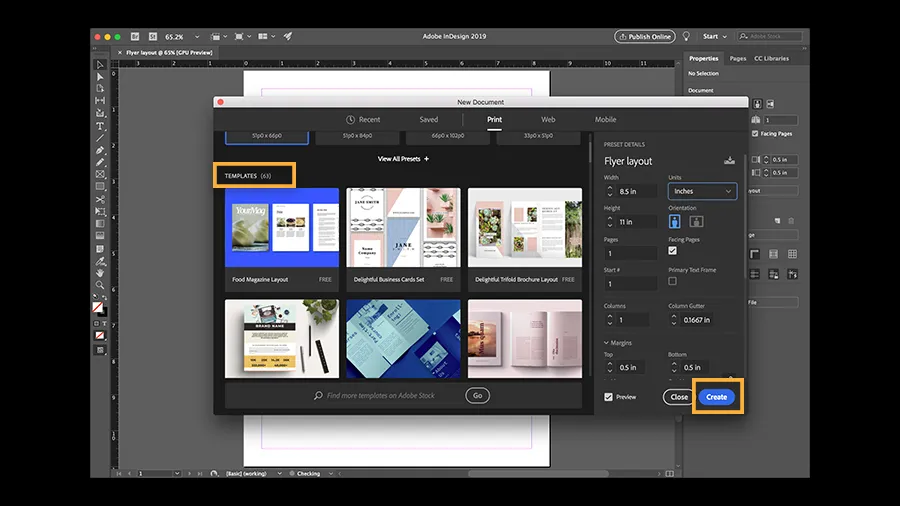
InDesign is built for print and publishing work, flyers, brochures, magazines, rather than interface design specifically, though it integrates well with the rest of the Adobe suite. If your priority is polished, conversion-ready marketing collateral, InDesign’s typography, layout, and spacing tools make it a strong choice for that specific job.
Adobe XD

XD is a vector-based tool built for interactive and high-fidelity prototyping, with an intuitive workspace and genuinely strong team collaboration features. It handles responsive design well, particularly for lower-fidelity website prototypes, and integrates smoothly with Photoshop and After Effects for file handoffs. A sizeable plugin library extends its feature set further, making it a solid, versatile choice across skill levels.
Canva

Canva has grown into one of the most widely used online design platforms, with roughly 260 million monthly active users and a valuation in the tens of billions of dollars, reflecting how far it’s expanded beyond its original template-based roots.
Canva’s Visual Suite update added genuine UI/UX capability: whiteboarding for freeform design, basic prototyping, and presentation tools for sharing design walkthroughs with a team or client, most available on paid plans. It still lacks some of what a dedicated tool like Figma offers, a proper component system, code generation, and a full plugin and API ecosystem, but it’s a genuinely low-barrier entry point for teams that don’t need Figma’s full depth.
Figma

Figma is a browser-based, cloud-native design tool that’s become close to an industry standard for interface design and wireframing. Files save automatically online, so there’s little risk of losing work, and its large, active community means templates and resources are easy to find.
Real-time collaboration is one of Figma’s strongest features: teammates and clients can view and comment on live work through a shared link rather than waiting on exported files or email threads. Its free tier and extensive plugin ecosystem, including a mobile mirroring app for checking designs on a real device, make it accessible at almost any skill level or budget.
Webflow

Webflow sits at the intersection of design and development, letting designers build fully custom, responsive websites visually while still generating clean HTML5, CSS, and JavaScript underneath. It’s a paid, closed platform rather than open-source like WordPress, with site, ecommerce, and workspace plan tiers.
Its design-first feature set stands out: parallax scrolling, code-free animations and micro-interactions, built-in SEO tools, free SSL, and one-click integrations with tools like Mailchimp and Zapier. For designers who want full visual control without hand-coding everything, it’s one of the strongest options available.
More UI/UX Design Tools Worth Exploring
Affinity Designer, Axure RP, Blender, Flinto, Gravit Designer, GIMP, InVision Studio, Inkscape, Marvel, MockFlow, Mockplus, Penpot, Principle, ProtoPie, Sketch, SketchUp, UXPin, and Zeplin all serve different stages of the design process, from wireframing to prototyping to full design systems. Some are free and open-source, others are paid with steeper learning curves.
Frequently Asked Questions
What’s the best free tool for a beginner UI/UX designer?
Figma’s free tier is a strong starting point: browser-based, collaborative, and widely used, which makes learning resources easy to find.
Do I need Photoshop or Illustrator for UI/UX design?
Not strictly. Dedicated tools like Figma and Adobe XD are built specifically for interface design and prototyping, though Photoshop and Illustrator remain useful for custom graphics and print assets.
Is Canva good enough for professional UI/UX work?
It’s a solid entry point for basic prototyping and presentation, but it still lacks the component systems, code generation, and plugin depth that dedicated tools like Figma offer.
Should I stick to one design tool or use several?
Most professional designers use more than one, leaning on each tool’s specific strengths rather than forcing one tool to do everything.
Need a website built from designs that actually convert? Send your brief to info@webdesigns.ng or WhatsApp us on 08114900422.
Need a website that actually grows your business?
Web Design Nigeria builds fast, SEO-ready websites for Nigerian businesses. Let’s talk about yours.