
As WordPress evolves, accessibility has become a more visible priority, and a wave of plugins now promise to help. Before recommending any of them, it’s worth being upfront about a real split in this space: some plugins make genuine, code-level improvements, and some are “accessibility overlay” widgets that critics, and regulators, have accused of doing the opposite of what they claim.
A Necessary Warning About Overlay Widgets
In April 2025, the FTC fined accessiBe, one of the biggest names in this space, $1 million for false advertising and fake customer reviews. Independent research has found that automated overlay tools catch roughly 30 to 40% of real WCAG issues at best, missing the majority of what actually needs fixing. More troublingly, a UsableNet report found that a meaningful share of accessibility lawsuits in recent years specifically targeted websites that had an overlay installed, not despite it, but in some cases because of it. Over 700 accessibility professionals have publicly signed a statement opposing these widgets, and the National Federation of the Blind has criticised accessiBe directly and asked it to stop using the organisation’s name in its marketing.
This doesn’t mean every plugin below is worthless, some genuinely help with narrower, specific tasks, but treat any tool that markets itself as a one-click, full ADA or WCAG “compliance” solution with real skepticism. The plugins that make actual code-level fixes are a safer long-term investment than the ones that add a floating widget and call it done.
Plugins That Make Genuine Code-Level Improvements
Accessibility Checker (Equalize Digital)
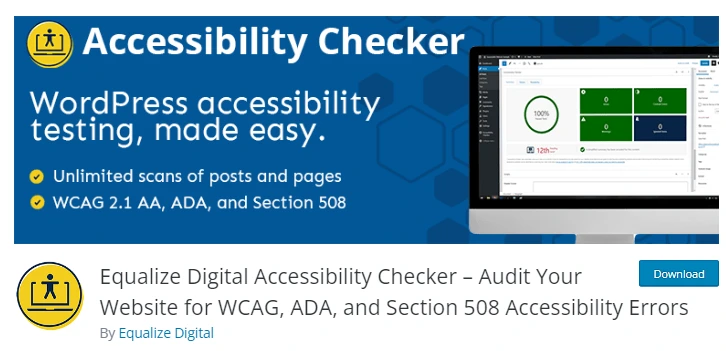
This is a genuine scanning and auditing tool, not an overlay. It checks content against WCAG, ADA, Section 508, and AODA criteria as you publish, including drafts, and gives you specific, actionable issues to actually fix in your content or code rather than papering over them with a widget.
WP Accessibility

A long-standing, widely used plugin that makes real adjustments to your theme’s markup: removing problematic tab indexes, helping you locate and fix images missing alt attributes, and letting you write longer image descriptions where needed. It fixes underlying code rather than layering a widget on top of it.
Readabler

Readabler adds genuinely useful reading aids: a text magnifier, reading mask, letter spacing and font size controls, content scaling, and the ability to pause animations or hide images. Treat it as a helpful supplementary tool for readability, not a substitute for fixing your site’s underlying accessibility issues.
Access Monitor
Access Monitor automates recurring accessibility scans on a schedule, testing new posts before they publish and filtering out duplicate issues so you’re not chasing the same problem across multiple pages. It only reports machine-testable issues, which narrows its scope but keeps its findings reliably actionable.
Accessibility New Window Warnings
A small, single-purpose plugin that warns visitors before a link opens in a new tab, aligning with WCAG’s expectation that pages behave predictably. It does one narrow thing well and doesn’t overreach with broader compliance claims.
Overlay Widgets to Approach With Caution
AccessiBe, UserWay, EqualWeb, AccessibilityWP Toolbar, and OneClick Accessibility all fall into the overlay category: JavaScript widgets that let visitors toggle contrast, text size, and similar display settings, typically marketed as fast paths to compliance. Given the FTC action against accessiBe, the lawsuits some of these companies now face over failed compliance promises, and the consistent criticism from accessibility professionals and disability advocacy groups, we’d recommend against relying on any of these as your primary accessibility strategy. If you already use one, treat it as a minor supplementary feature at most, not proof your site is accessible.
Why Real Accessibility Matters
An estimated one in four adults in the U.S. lives with some form of disability, and the proportion is significant globally too. A site with genuine accessibility gaps risks losing a real share of potential visitors, and in some jurisdictions, real legal exposure. In 2019, the U.S. Supreme Court declined to hear Domino’s Pizza’s appeal in a case brought by a blind customer who couldn’t use the company’s website or app, leaving in place a lower court ruling that a business’s website can fall under the same accessibility obligations as its physical premises. Accessibility lawsuits in the U.S. have continued to grow since.
Beyond legal risk, genuinely accessible design tends to improve the experience for everyone, not just users with disabilities, and signals a level of care that reflects well on a brand.
Frequently Asked Questions
Are accessibility overlay widgets illegal to use?
No, but several have faced regulatory action and lawsuits over misleading compliance claims. Using one doesn’t guarantee legal protection the way its marketing may imply.
What’s the difference between an overlay and a real accessibility fix?
An overlay adds a widget on top of your existing site without changing its underlying code. A genuine fix, alt text, semantic HTML, proper contrast, actually changes the code so assistive technology can read and navigate the site correctly.
Which WordPress accessibility plugin should I start with?
A genuine scanning tool like Accessibility Checker, paired with WP Accessibility for direct code fixes, is a stronger starting point than any overlay widget.
Does installing an accessibility plugin guarantee ADA or WCAG compliance?
No single plugin guarantees full compliance. Genuine accessibility requires ongoing auditing and fixes, not a one-time install.
Want a website built with real accessibility in mind from the start? Send your brief to info@webdesigns.ng or WhatsApp us on 08114900422.
Need a website that actually grows your business?
Web Design Nigeria builds fast, SEO-ready websites for Nigerian businesses. Let’s talk about yours.